
Global Commands
Commands that run for every product on a given event — purchase, expiry, renewal, refund or chargeback.
A global command runs on an event regardless of which product was involved. Use them for things that should always happen: announcing a sale in chat, logging to an external system, revoking access when money comes back out.
Dashboard → Store → Global Commands. Needs global_command_read.
Creating one
- Go to Store → Global Commands.
- Click Create in the top right.
- Configure the fields below.
Stage
When the command fires.
| Stage | Fires when |
|---|---|
| On Purchase | Immediately after a product is purchased. |
| On Expire | When a product expires, or is revoked manually. |
| On Renew | On a recurring subscription renewal. |
| On Refund | When an order is refunded. |
| On Chargeback | When a chargeback occurs. |
Set a command on On Refund and On Chargeback. Without them, a customer who refunds, or disputes the charge with their bank, keeps everything they were given. You're out the money and the goods.
At minimum, remove the purchased permissions or rank on both stages.
Command
The command to execute. It is sent to the game server or integration depending on your setup. The same 33 placeholders work here as on a product command. See Commands & Placeholders.
Execute when online
Optional. When enabled, the command only runs while the customer is online. Left unchecked, it queues and runs when possible.
Enable it for commands that only make sense against a connected player, such as a chat message or a session effect. Leave it off for permission and rank changes. A revoke that waits for the player to come back online is a revoke that may never happen.
Game Servers to Execute On
| Setting | Behaviour |
|---|---|
| Left empty | Applies to all game servers selected per product. |
| One or more selected | Overrides the product-level server setting. |
That override catches people out on multi-server stores: the command runs on those servers no matter which server the product was bought for. Leave it empty unless you want that.
Managing global commands
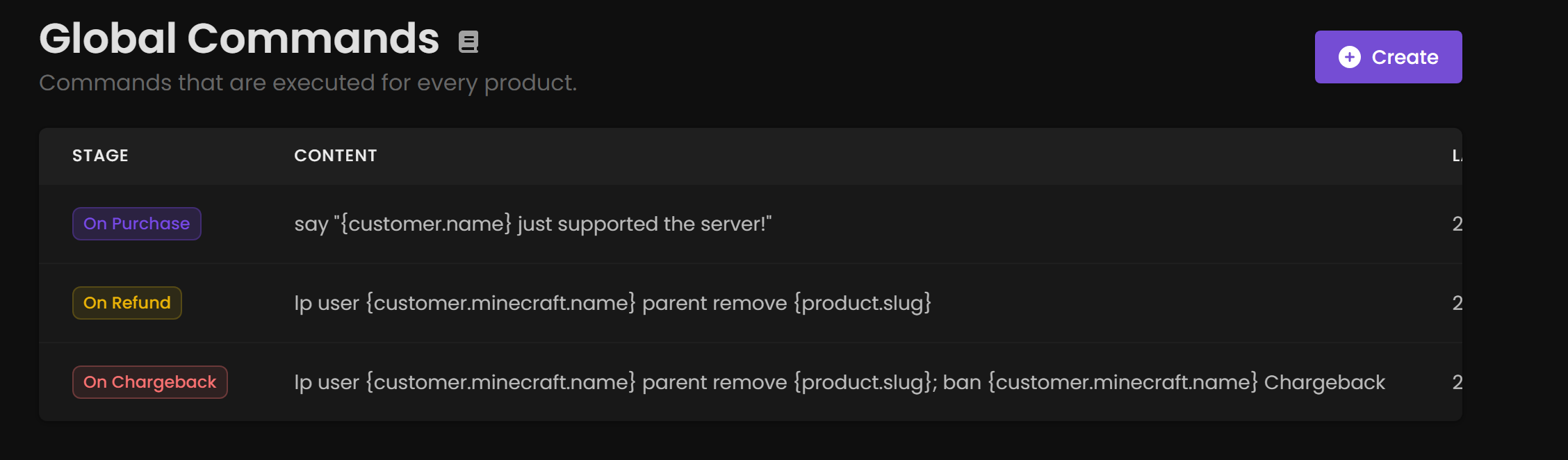
The table shows the Stage it triggers on, the Content of the command, and Last Updated. Edit or delete from the contextual options in the table.
Global versus product commands
| Use a global command when | Use a product command when |
|---|---|
| It applies to every purchase | It delivers a specific item |
| Announcing sales in chat | Granting a specific rank |
| Logging to an external system | Giving a specific kit |
| Revoking on refund or chargeback | Anything product-specific |
Both run. A global On Purchase command fires in addition to the product's own commands, not instead of them, on the product's game servers unless you override that above.