
Affiliate Links
Pay creators and community members a commission for sales they refer, tracked by code or URL.
Affiliate links let you partner with creators, influencers and community members who promote your store in exchange for a commission. Purchases are tracked by referral URL, such as store.example.com/?aff=example, or by a code entered at checkout.
Dashboard → Marketing → Affiliate Links. Needs affiliate_link_read and the Pro plan or above. See Billing.
PayNow takes no additional cut of affiliate sales. You get built-in analytics, custom commissions per affiliate, optional discounts tied to the affiliate code, and direct payouts: commissions are credited to the affiliate's PayNow payout account.
Your affiliates do not need a store of their own. They register for PayNow, choose Setup Payouts at first login, and receive settlements without ever creating one. See Setting Up Your Payout Account.
Setting one up
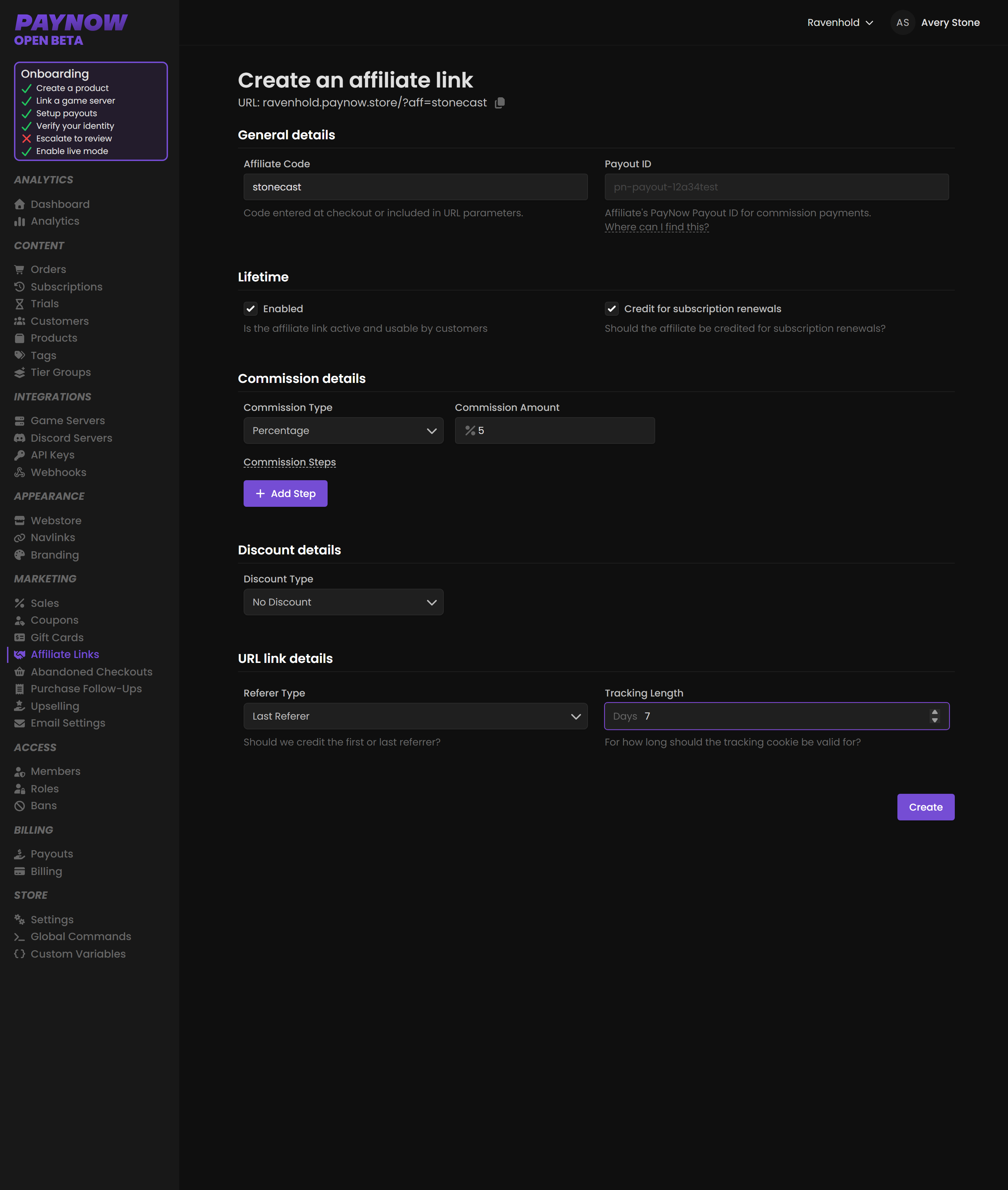
1. General Details
| Field | What it does |
|---|---|
| Affiliate Code | The unique code, used at checkout or in the referral URL. |
| Payout ID | The affiliate's PayNow payout identifier, where commission is paid. |
The affiliate provides their own Payout ID. Get it from them rather than guessing.
2. Lifetime & Renewal
| Field | What it does |
|---|---|
| Enabled | Activates the link. |
| Credit for Subscription Renewals | Whether commission applies to recurring payments, not just the first. |
Credit for Subscription Renewals is the expensive setting. Left on, the affiliate earns on every renewal for as long as that customer stays subscribed, potentially for years, off a single referral. That can be right for a creator driving high-quality signups and badly wrong as a blanket default. Decide deliberately, and tell your affiliates which model they are on before they start promoting.
3. Commission Details
Commission Type is percentage or fixed, and Commission Amount sets the figure per sale. A percentage commission is capped at 30%; the form rejects anything higher.
The percentage is a split of the whole transaction, tax and fees included. It is not calculated on what you take home.
A customer pays $20.00. A 10% affiliate earns $2.00, taken off the top. Tax, the gateway fee and the platform fee then come out of your remaining $18.00, not out of the affiliate's share.
Work your rates out from that. A 25% commission on a low-margin product can cost you more than the sale earns once tax and fees land on your side of the split.
Check Transactions to see what a given sale actually nets you.
If you credit affiliates for renewals, Commission Steps lets you set a different rate for each successive renewal, tapering a 20% first-payment commission down to 5% by the fourth, for example. Repeat last step forever applies the final step to every renewal after it. Without that, renewals past the last step pay nothing.
4. Discount Options
Optionally give customers a discount for using the affiliate's code. It is what makes the code worth sharing: the audience gets something, not just the creator.
5. Tracking Settings
| Field | What it does |
|---|---|
| Referrer Type | Whether the first or last referrer gets credit. |
| Tracking Length | How long the tracking cookie stays valid, e.g. 7 days. |
Referrer type decides who gets paid when several affiliates touch one customer. Last rewards whoever closed the sale; first rewards discovery, which suits programmes built around creators introducing new players. PayNow's own default is First Referer, and a new link starts at a 7-day tracking window; the field accepts 1 to 365 days.
Running a programme
Start with a small number of affiliates and a modest commission, because raising it later is easy and cutting it is not. Give each affiliate their own code, or performance is unattributable. Check the numbers after a month, since an affiliate whose referrals all refund or charge back is costing you money. And be explicit about renewals in whatever you agree.