
Tags
Group products into categories customers can browse, and the prerequisite for navlinks.
Tags are subcategories. A customer clicking a tag sees every product carrying it, which is how a growing catalogue stays navigable. They are also the prerequisite for navlinks, which are built from tags.
Dashboard → Appearance → Tags. Needs tag_read.
Creating a tag
- Go to Appearance → Tags.
- Click Create in the top right.
- Fill in Name, Slug and Description.
| Field | What it does |
|---|---|
| Name | What customers see. |
| Slug | Used in the storefront URL for that tag's listing. |
| Description | A rich-text description of the tag. |
Whether the description appears is up to your template. It's available to render as the tag or navlink description, so a category page can carry a line of copy above its products. A template that never outputs it means the field is stored and never shown. See Editing Template Files.
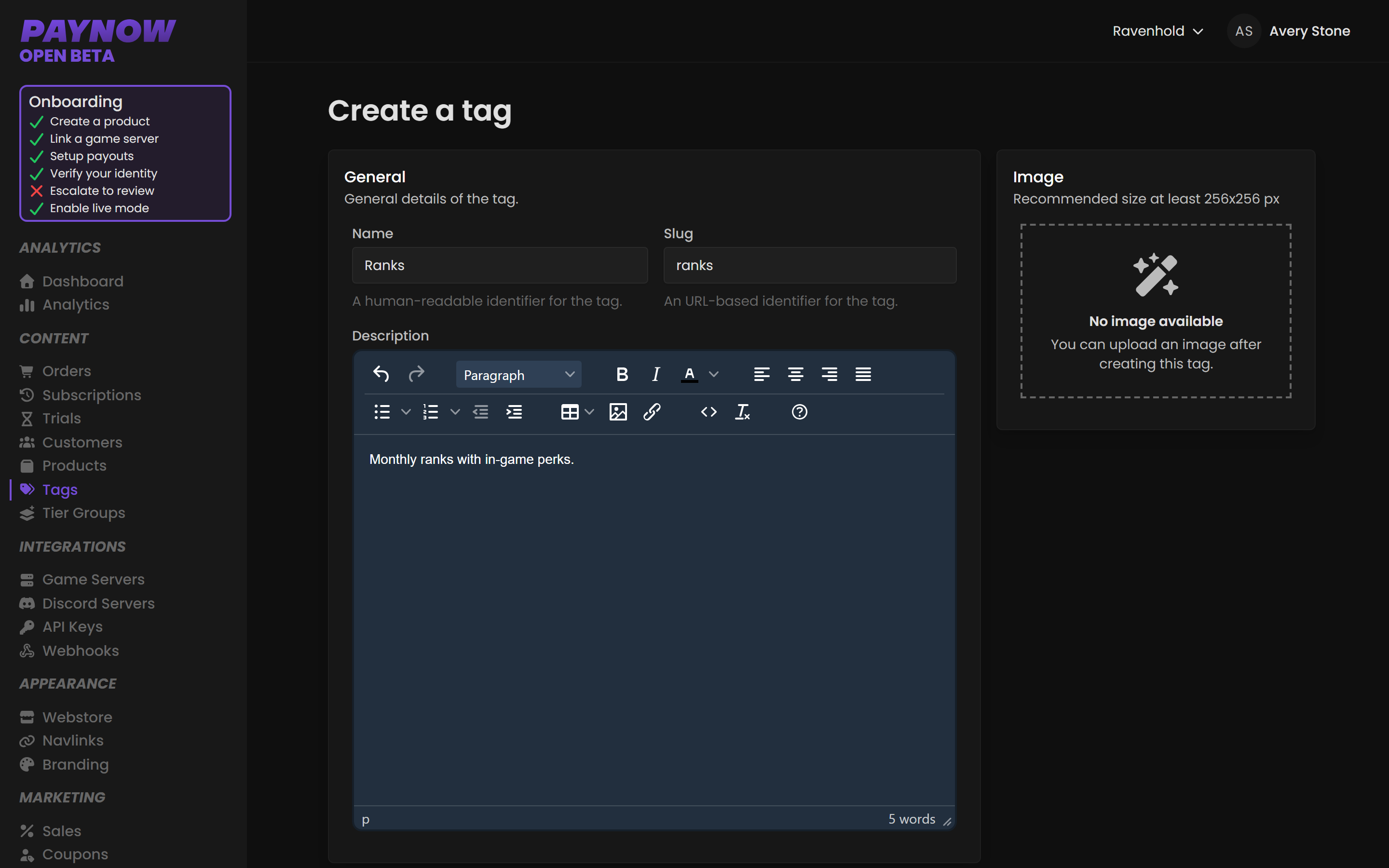
To apply a tag, edit the product, select the tags on the right-hand side, and save. A product can carry several tags.
Avoid changing a slug after launch. The slug appears in the storefront URL for that tag's listing, so editing it breaks bookmarks and any link you have already shared.
Designing a tag structure
Tags are cheap to create and expensive to reorganise. Decide early which axis you organise along:
| Axis | Example tags | Good when |
|---|---|---|
| Product type | Ranks, Currency, Kits, Cosmetics | One server, varied catalogue |
| Server | Survival, Creative, Modded | Several servers, similar catalogue |
| Both | Survival Ranks, Creative Ranks | Several servers and varied catalogue |
Don't create a tag per product. A tag holding one item is a product page with extra steps.
Tags are not tier groups
Easy to confuse, different jobs. Tags are presentational: how products are grouped and displayed. Tier Groups are behavioural: how products relate to each other so upgrades charge only the difference. Putting Iron, Gold and Obsidian in a tag called Ranks makes them appear together; it does not make upgrading between them work. You need both.
Tags in templates
Custom storefronts get tags as a global variable, and category.html receives activeTag and activeTags for the current filter. See Editing Template Files.