
Transactions
Every transaction saved to your payout account, with a full fee breakdown and CSV export.
Every transaction saved to your payout account. A payout account belongs to an account rather than a store, so this list spans all stores you own, and the Store column tells you which one each transaction came from.
Dashboard → Billing → Payouts → Transactions. Owner-only, like the rest of Payouts. See Account Payouts vs Store Payouts.
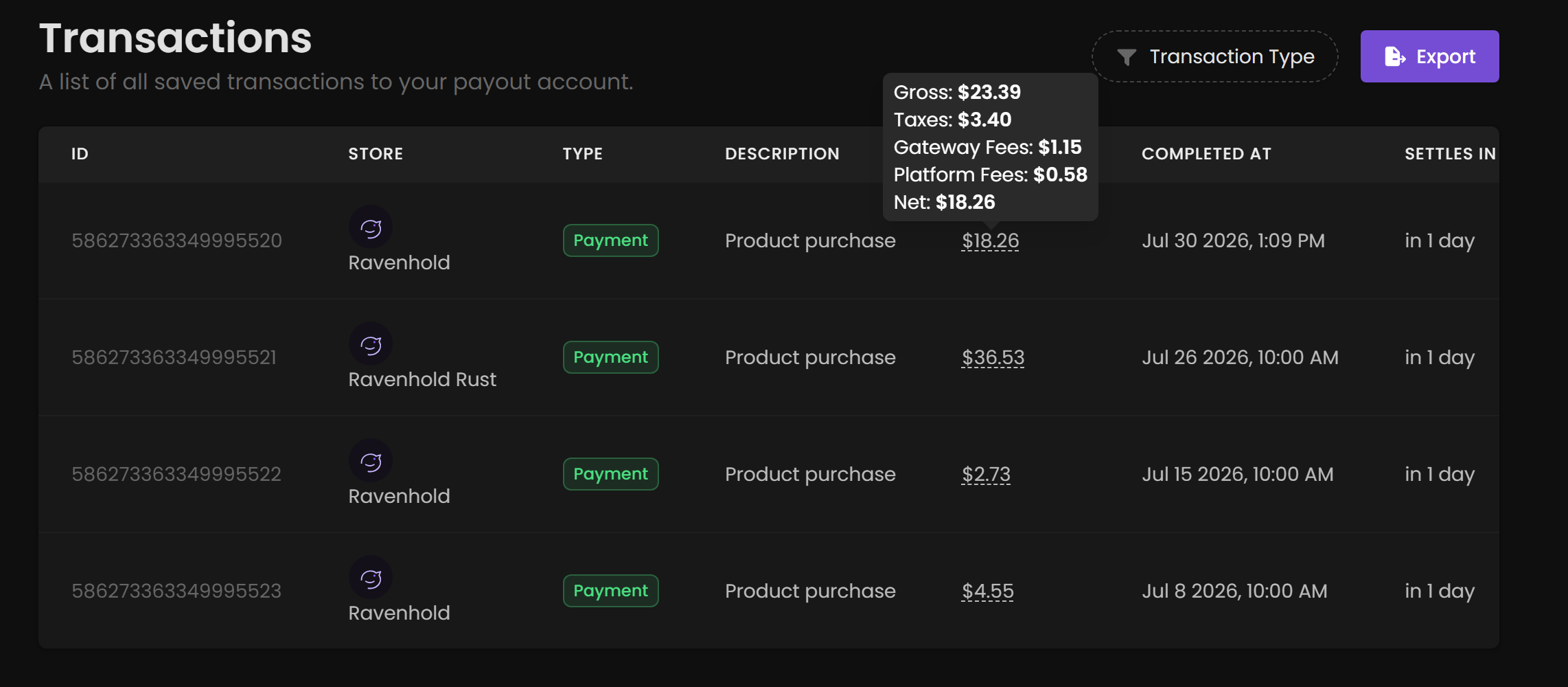
Hover any amount to see exactly where the money went.
Reading the table
| Column | What it tells you |
|---|---|
| ID | The transaction identifier. Quote this when contacting support about a specific payment. |
| Store | Which of your stores generated it. Present because one payout account can serve several stores. |
| Type | What kind of transaction it is. Filter by this using Transaction Type in the top right. |
| Description | Human-readable summary, for example Product purchase. |
| Amount | The net figure, what actually reaches you. Hover it for the full breakdown. |
| Completed At | When the transaction completed. |
| Settles In | How long until the funds settle and become withdrawable. |
The fee breakdown
Hovering an amount expands it into five lines.
| Line | What it is |
|---|---|
| Gross | What the customer paid in total. |
| Taxes | Sales tax / VAT collected and remitted. PayNow handles this as merchant of record. It was never your money. |
| Gateway Fees | Charged by the payment processor for handling the card. |
| Platform Fees | PayNow's fee. |
| Net | What lands in your payout account. |
$$Net = Gross - Taxes - Gateway\ Fees - Platform\ Fees$$
Net looks low against your product price because a customer paying $34.49 for a product you priced lower is paying your price plus tax. Tax is the largest deduction in most regions. Compare Platform Fees against gross to see what PayNow actually costs you.
Exporting to CSV
Click Export to download transaction history for accounting or bookkeeping.
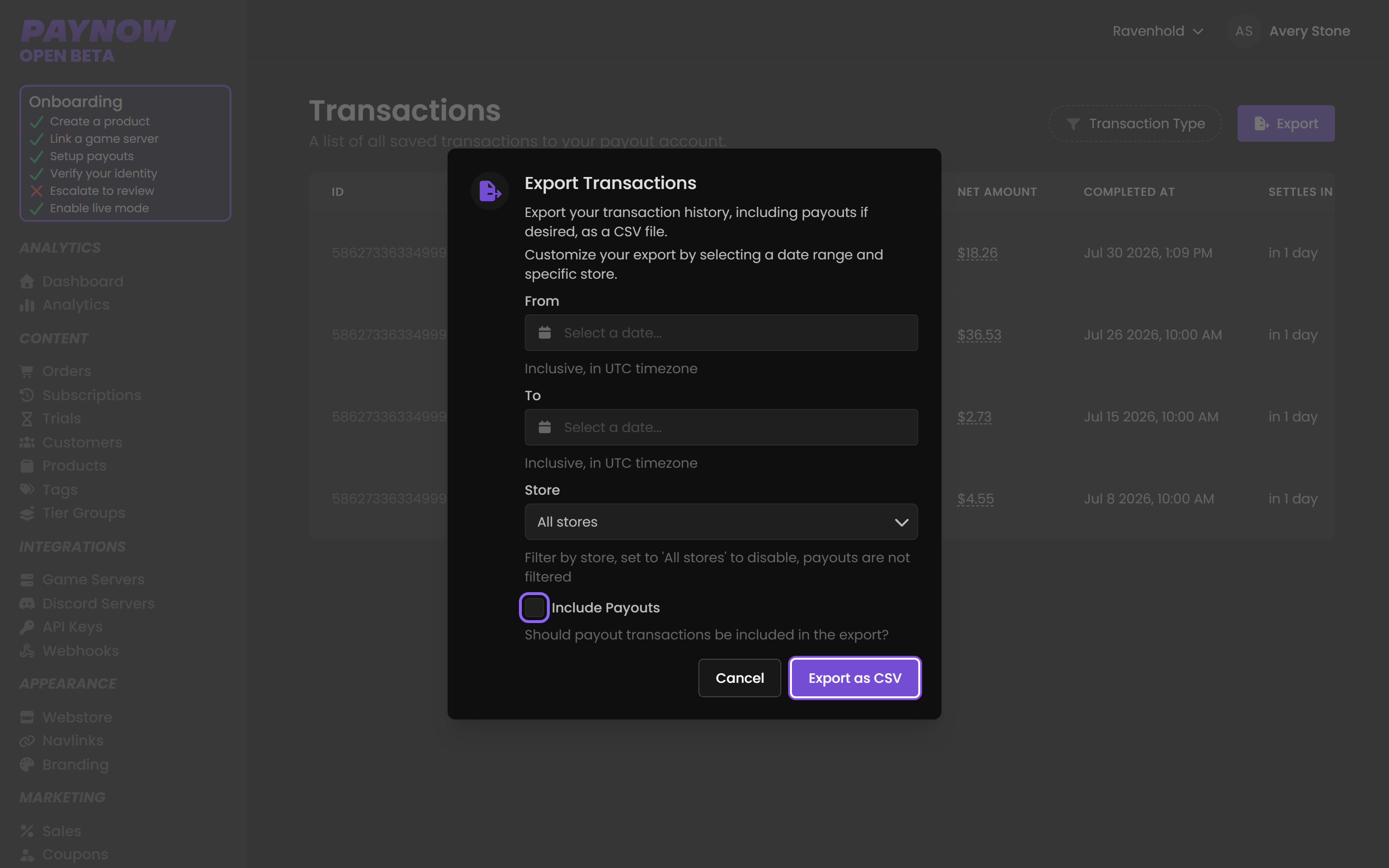
| Field | What it does |
|---|---|
| From | Start of the range. Inclusive, in UTC. |
| To | End of the range. Inclusive, in UTC. |
| Store | Restrict to one store. Set to All stores to disable filtering. |
| Include Payouts | Whether payout transactions appear alongside the rest. |
Two things to watch when exporting for accounts:
- Dates are UTC, not your local timezone. Export a calendar month while you aren't on UTC and the boundary days won't match your local month.
- The store filter does not apply to payouts. Select a single store and tick Include Payouts and the payout rows are still unfiltered, because payouts belong to the account rather than to any one store. A single-store export isn't a complete picture of that store's cash movement.