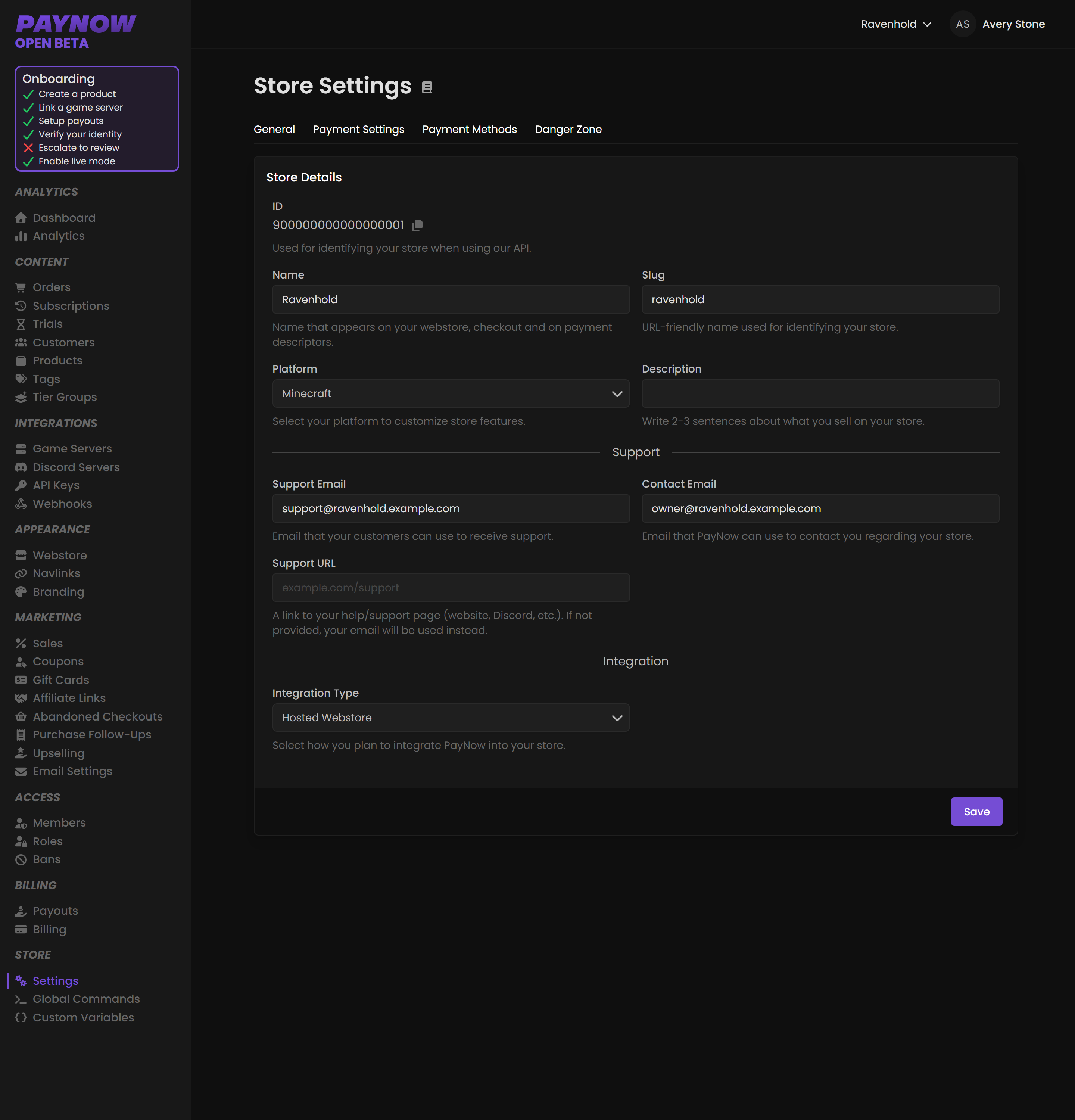
Settings
Store details, platform, integration type, payment methods, card restrictions and promo stacking.
Store-wide configuration. A few of these settings are hard to reverse once customers have started buying.
Dashboard → Store → Settings. Needs store_update.
Store details
| Field | What it does |
|---|---|
| ID | Unique identifier for your store, used with the PayNow API. |
| Name | Appears on your webstore, checkout pages and payment descriptors. |
| Slug | URL-friendly name identifying your store in web addresses. |
Store Name shows on bank statements. It is the payment descriptor customers see when they check their card statement weeks later. A name they do not recognise becomes a chargeback. Use the name your community actually calls you, not a legal entity name.
Platform
Select your platform: Rust, Minecraft and so on. This optimises available features and integrations.
Switching to or from a third-party integration affects your platform fees and available functionality. The dashboard raises a Platform Change warning when you do. Only proceed if you completely understand what will happen, and check you are not violating any terms set by the third-party integration: making changes without proper authorization may result in your store being locked.
Support
| Field | Who sees it |
|---|---|
| Support Email | Customers. Where they contact you. |
| Contact Email | PayNow only. How we reach you about the store. |
Point Support Email at an inbox a human reads. Unanswered customers dispute charges.
Integration
| Type | Use when |
|---|---|
| Hosted Webstore | You use PayNow's hosted storefront. Most stores. |
| Headless API | Fully custom integration via the API. |
| Third-Party Integration | A third-party platform integrates PayNow for you. |
Payment Settings
Global payment options, including showing all payment methods for subscriptions and store-wide tax-inclusive pricing. The two Adaptive Currency toggles live here too, both on by default.
Payment Restrictions
Prepaid cards are disposable and can run out of funds mid-billing-cycle, so they drive fraud, trial abuse and churn.
| Option | Effect |
|---|---|
| Accept all prepaid cards | Allowed everywhere. |
| Block for trial periods only | Cannot start a trial with a prepaid card. One-time purchases and regular subscriptions still allowed. |
| Block for all subscriptions | Cannot be used for any subscription, including trials. One-time purchases still allowed. |
Stores selling recurring products usually pick Block for all subscriptions. It removes churn from expired balances while one-time purchases stay frictionless. Prepaid cards are also the standard tool for farming free trials.
Checkout Settings
How coupons and gift cards combine at checkout.
| Option | Effect |
|---|---|
| Disable stacking | One promo only. No combining anything. |
| Gift Card stacking only | Multiple gift cards on one order, but coupons never combine, not with each other and not with gift cards. |
| Enable stacking | Coupons and gift cards freely combine. |
Gift Card stacking only is the middle ground: several gift card balances on one purchase, while your coupon discounts stay predictable. Work out your worst case before choosing Enable stacking. A percentage coupon on top of an active sale can add up to a far larger discount than you intended.
Payment Methods
Organised into Global and regional tabs. Your store can offer regional payment methods regardless of its base currency: Klarna, Cash App Pay, Amazon Pay, iDEAL, Wero, BLIK, Przelewy24, MB WAY, MobilePay, Revolut Pay, Satispay, TWINT and UPI. Customers only ever see the methods available in their own region.
Enable the ones that matter in your markets. A large share of buyers in the Netherlands use iDEAL and in Poland BLIK in preference to cards, and a card-only store loses them silently.