
Team Members
Invite staff to your store and control what they can do.
Bringing people in to help is necessary as a store grows. Doing it carelessly is how stores get drained.
Dashboard → Access → Team Members. Needs invite_manage.
Give the narrowest role that lets someone do their job. Only owners should have full access. A moderator answering tickets needs to view orders and customers, not to issue refunds, edit products or create API keys. Every extra permission is a way for a mistake or a compromised account to cost you money.
Inviting someone
- Go to Access → Team Members.
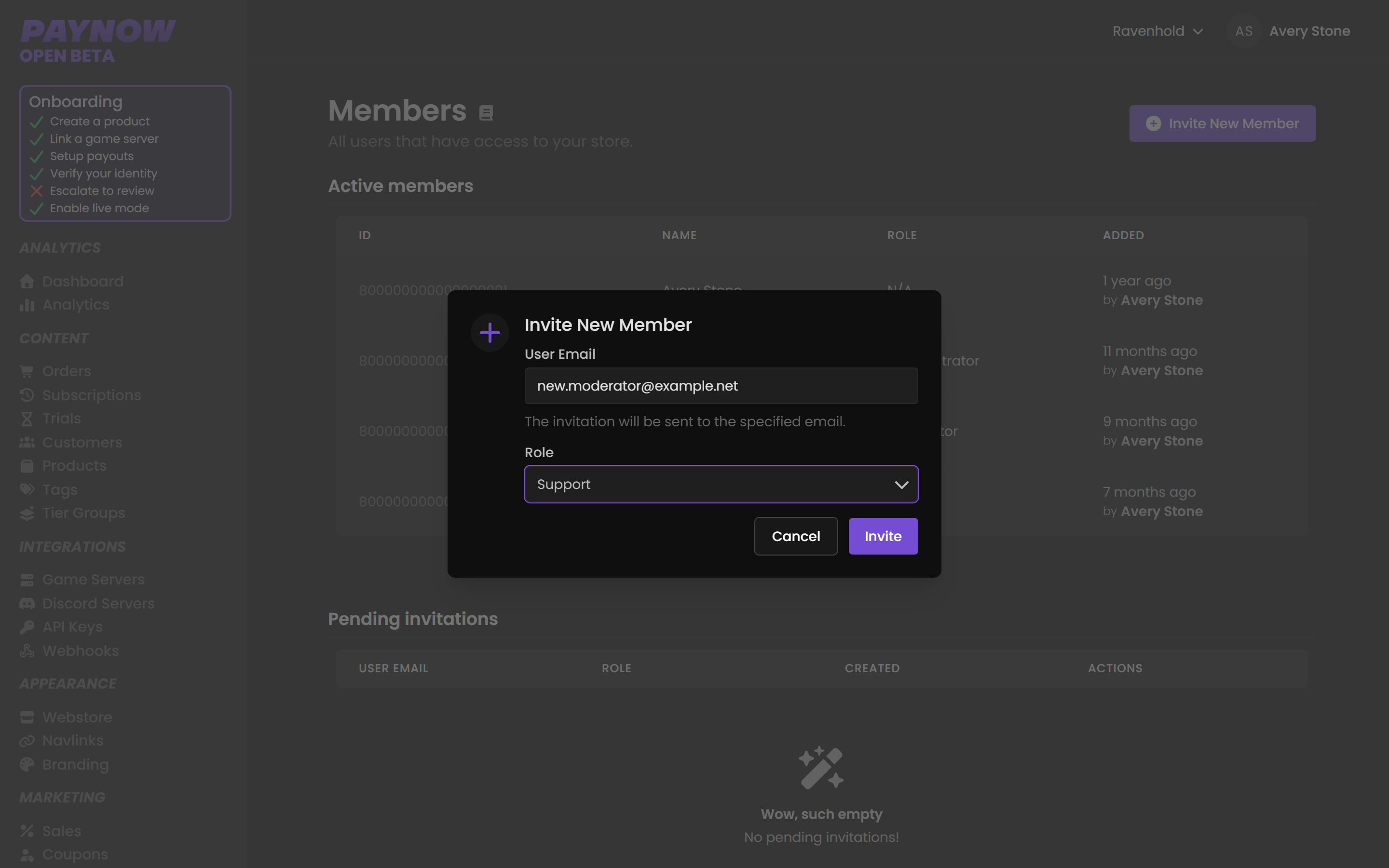
- Click Invite New Member in the top right.
- Enter their email address.
- Select the role to apply.
- Send.
Build the role on the Roles page first, then invite.
Click any member to see their name, when they were added, and their role. From there you can change their role or remove them from the store.
Payouts is not grantable
No role grants access to Payouts. It is owner-only rather than permission-gated, so even a fully-privileged Administrator cannot open it. If someone needs revenue visibility without payout access, give them stats_revenue_read for Analytics.
→ Account Payouts vs Store Payouts
A sensible starting structure
| Role | Who | Roughly what they need |
|---|---|---|
| Administrator | Co-owner you trust with money | Products, refunds, marketing, team |
| Moderator | Trusted staff | View orders, customers, subscriptions; issue bans |
| Support | Ticket handlers | View orders and customers only |
Support staff resolve most tickets with read access alone. The order timeline and a customer's inventory answer most questions without any write permission.
Reviewing access
Do this quarterly, and immediately when someone leaves.
- Remove members who are no longer involved, on the day they leave.
- Check nobody has accumulated permissions from a temporary task.
- Reset any API keys that person had access to. Removing them from the team does not invalidate a key they copied.