
Duplicating a Product
Copy an existing product to build variants quickly without rebuilding every field.
Duplicating copies every setting from an existing product into a new one and opens it for editing. It's the fastest way to build a range of related products, and every field it copies is explained in Creating a Product.
Dashboard → Content → Products → the actions column on the right. Needs product_create.
Duplicating
- Go to Content → Products.
- Find the product in the list.
- In the actions column on the right, click Duplicate.
The new product opens straight away, carrying everything from the original.
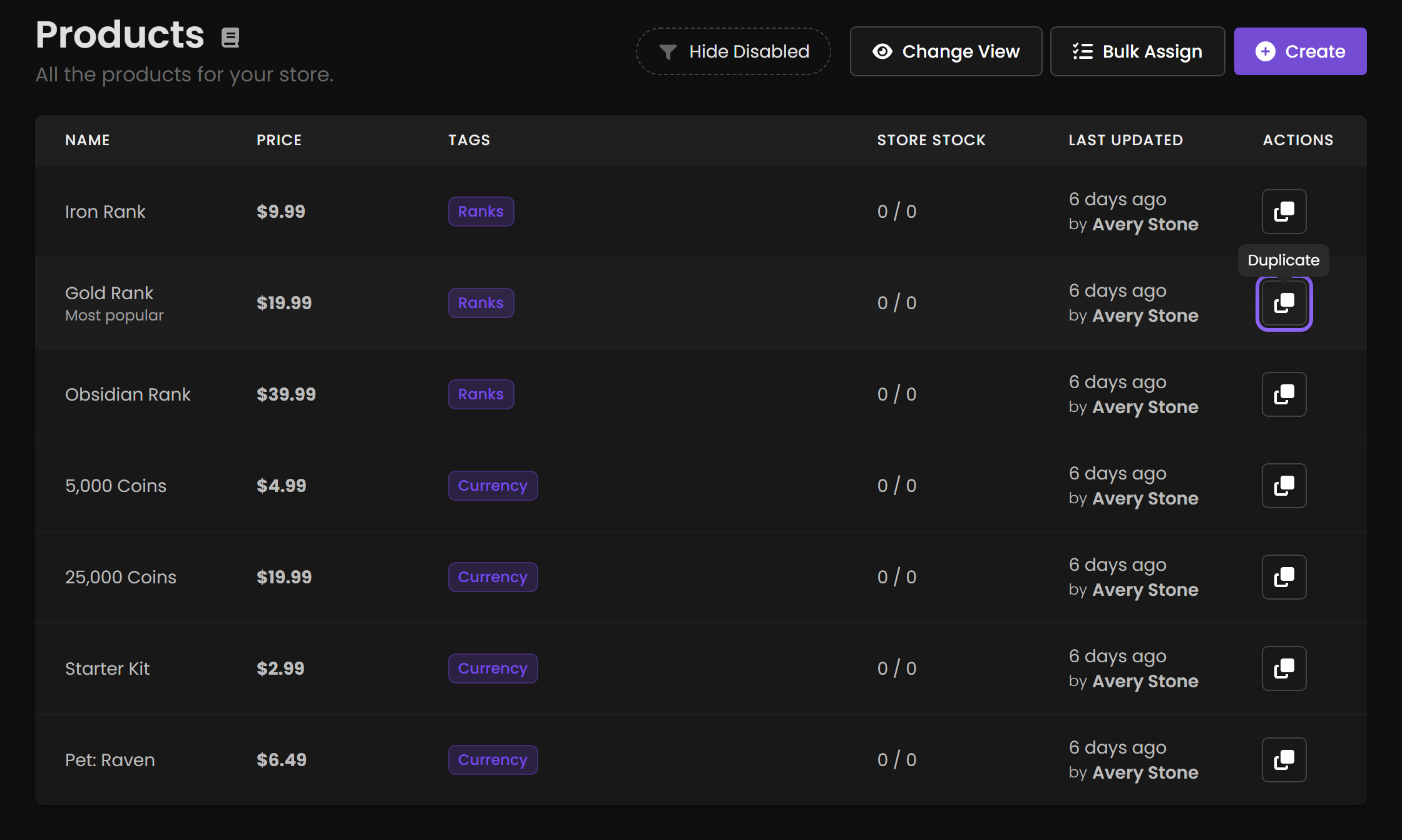
Duplicate is a single button in the Actions column, not an expanding menu — one click makes the copy.
When it saves time
Rank ladders: build Iron Rank fully, duplicate twice for Gold and Obsidian, adjust name, price and commands, then put all three in a tier group. Per-server variants: duplicate and change the game server selection. Seasonal versions: duplicate last year's event package and adjust the availability period. Price experiments: duplicate, change the price, and run them in different periods.
Change these before you sell
The duplicate inherits everything, which is the point and the risk:
| Field | Why |
|---|---|
| Name | Two identically-named products confuse customers and your own order history. |
| URL slug | Must be unique. |
| Price | The most common thing left wrong. |
| Commands | Almost always the reason you duplicated. A Gold Rank still running the Iron command is silent and expensive. |
| Game servers | Especially for per-server variants. |
| Description | Still describes the original's perks. |
| Image | Inherited from the original. |
| Stock | Inherited limits carry over. |
| Tier group | Set it if this belongs to a ladder. |
| Availability period | An expired original produces a product nobody can buy. |
Test the duplicate before announcing it. Buy it yourself and confirm the command that runs is the new one. An inherited command delivers the wrong package, and the first person to notice will be a paying customer.
There is no sandbox, so use a 100% coupon or a gift card rather than paying for it.
Running the same product name across several servers? Set a custom label on each so they don't appear as identical rows in Subscriptions and Orders.